7 Best Wired Gaming Earbuds: Choose by FPS Performance, Mic and Connector
When choosing wired gaming earbuds, it's important to consider not only how game audio sounds but also whether they have a mic, the connector and the fit. The right model depends on whether you want to pick out footsteps in FPS games or prioritize talking with teammates.
This time, we compare 5 gaming models and 2 monitor earbuds that can also be used for music production and listening. We also summarize what to check when connecting to PS5, Switch and PC.
INDEX
1. How to Choose Wired Gaming Earbuds
The first things to decide are what you want to hear, who you'll talk to and which device you'll connect to. Before choosing on price or looks alone, sort out the conditions your gaming setup requires.
Choose by the sound you value, such as FPS footsteps or game impact
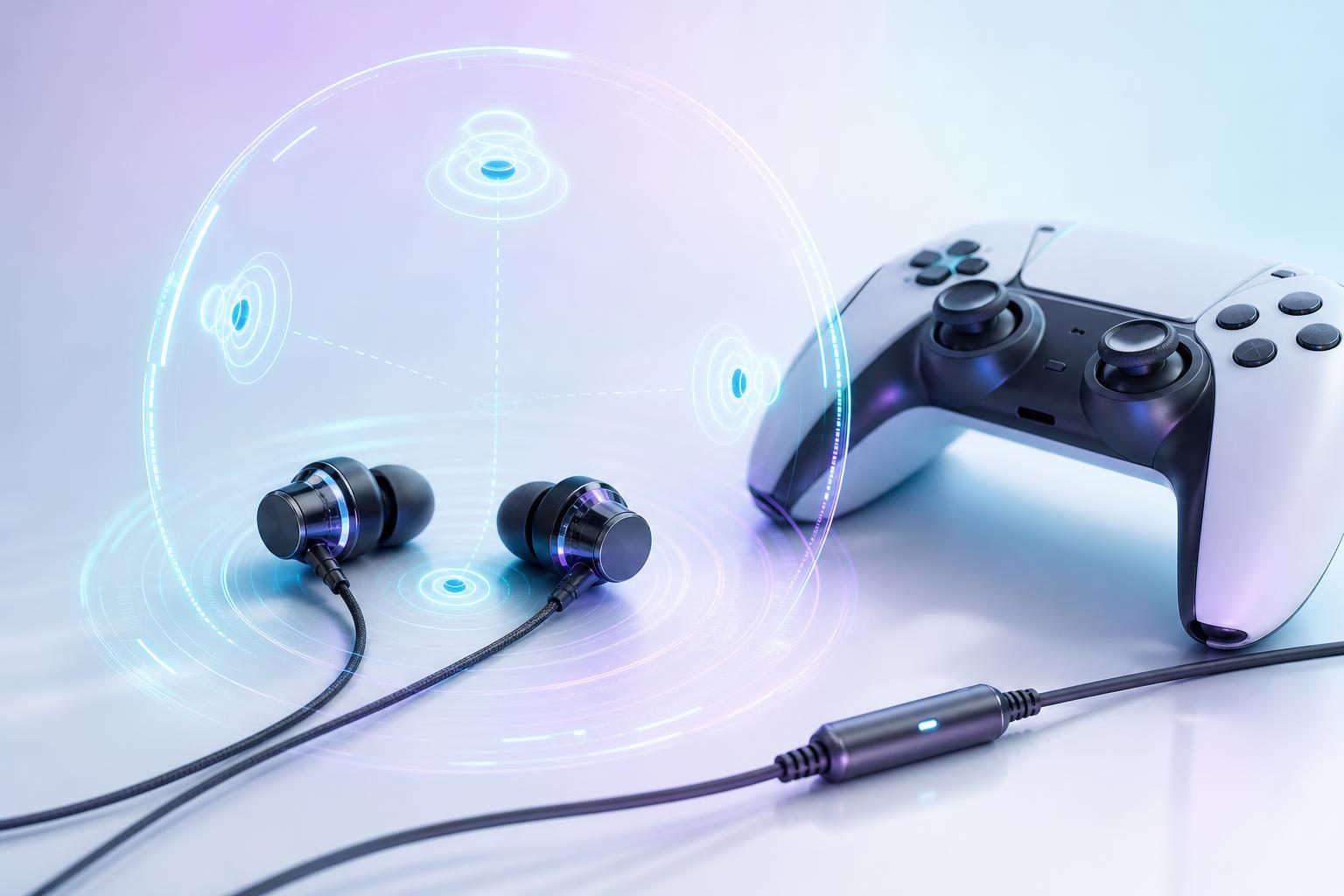
If you want to use footsteps and other sounds as cues in FPS games, consider models designed with sound effects in mind. On the other hand, if you want to enjoy the ambient sounds of adventure games or the world of VR, models that emphasize spatial expression are also an option.
For example, final describes the VR2000 as a model aimed at making sound effects easier to hear and the VR3000 as a model that emphasizes spatial expression for games and VR. Even products from the same manufacturer can have different design directions.
However, how footsteps sound isn't determined by the earbuds alone. The game's volume settings, how the audio is produced and how the earbuds fit also have an effect. Don't judge by driver size or an "FPS" label alone; if possible, try them with audio similar to the games you usually play.
For voice chat, check whether there's a mic and what type it is
If you'll talk with teammates, choosing a model with a mic makes your connections simpler. The inline type, with a mic partway along the cable, and the boom mic type, which extends toward your mouth, differ in mic position and ease of handling when worn.
If you want to mute your voice at hand, also check whether there's a physical mute control. Even if there's a mic, not every model has a mute switch. Also, some monitor earbuds don't have a mic on the standard cable.
If you already use a USB mic or your controller's built-in mic, the earbuds don't need a mic. Also check your devices' settings to see whether you can separate the device you listen with from the one you speak into.
Check 3.5mm and USB Type-C and how they connect to your devices
Common wired earbud connections include the round 3.5mm plug and the flat USB Type-C. Before buying, check the ports on the devices you want to use and where you'll connect.
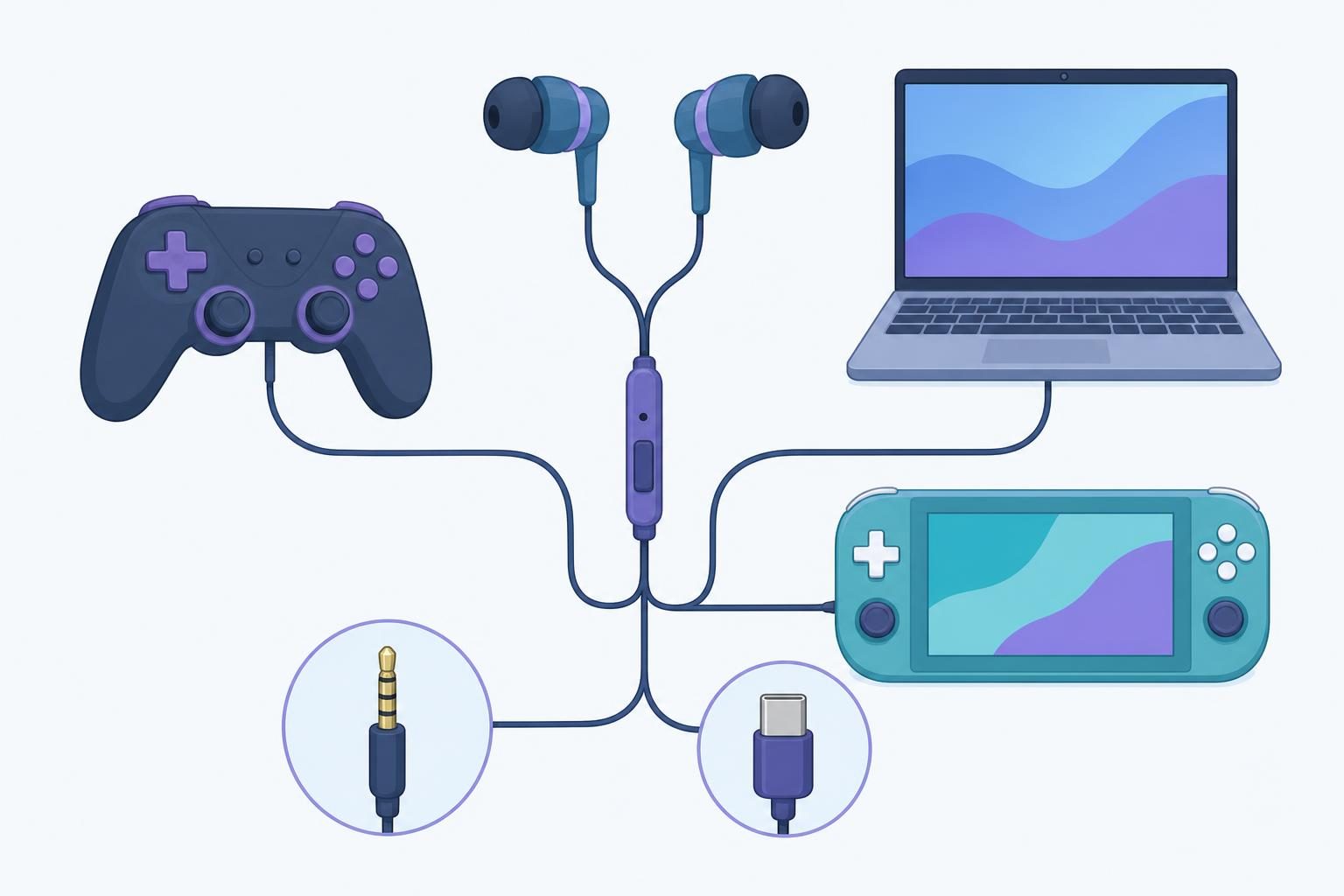
With 3.5mm, you can connect to a game console's controller or a PC's headset jack. Some USB Type-C products can connect directly to devices with that port, but even if the connector shape matches, whether the device supports USB audio is a separate question.
When using an adapter, the key point is whether it supports mic input as well as audio output. Even if you connect earbuds with a mic, you can't use them for chat if the adapter or the device only supports audio output.
Check the fit of the ear tips and the cable length
Ear tips that don't fit your ears affect how things sound and how comfortable they are over long sessions. If multiple sizes are included, try the size that fits each ear. Also check that they aren't so large they feel tight and that they don't fall out easily when you move.
Over-ear designs that route the cable behind the ear are also a good choice if you want to reduce rubbing noise when the cable moves. However, they can take some getting used to, so choose based on your usual preference.
For length, it's easier to choose if you think about "from where you sit to the port". A shorter cable is easy to handle if you connect to a controller, while you'll need extra length to reach a PC under your desk. Set your budget to include not just the earbuds but any adapters and separately sold mics you need.
2. 5 Recommended Wired Gaming Earbuds
Here we introduce 5 wired models designed for gaming. Pay attention not only to their sound direction but also to how easy they make chatting and what they connect to.
1. final VR3000 for Gaming | For people who value spatial expression in games
final's VR3000 for Gaming is a candidate for people who value spatial expression in games and VR. The manufacturer highlights its design with game and VR sound spaces in mind. It's a model worth considering not only for FPS games but also for games where you enjoy the story surrounded by ambient sound.
The base model we compare is the 3.5mm "VR3000 for Gaming." The cable is fixed, and the product information for model FI-VR3DPLMB says it has an in-line controller with a mic. According to the manufacturer's manual, the cable length is 1.2m.
There are variants with different specs in the series of the same name, so check the model name carefully on the purchase page. The official page also lists the 3.5mm and USB-C versions of the "VR3000 Recable" with a detachable cable and the "VR3000 +Condenser Mic" with a dedicated condenser mic. If you want USB-C connection or a replaceable cable, you need to choose the corresponding variant rather than the base model.
2. final VR2000 for Gaming | For people who want to distinguish game sounds
The VR2000 for Gaming is a model worth considering for people who want to pick out sound effects during games. final explains that, building on the knowledge of spatial audio gained from the VR3000, it was developed with the aim of making individual sounds in games easier to hear.
According to the manufacturer's product information, it uses a 3.5mm connection and a cable with a mic. The cable is 1.2m long, and it comes with ear tips in 5 sizes and ear hooks. It's an easy choice for people who prioritize sound in competitive games but also want to voice chat on compatible devices.
Compared with the VR3000, the difference is that the manufacturer puts "clarity of sound effects" front and center. However, how it actually sounds depends on the game and how it fits your ears, so one isn't necessarily better in every game. Use whether you want to enjoy spaciousness or focus on individual sound effects as your guide.
3. Logicool G333 | For people who want to switch between 3.5mm and USB Type-C
If you'll use them with multiple devices, the Logicool G333 is a candidate. According to Logicool's official information, a USB-C adapter is included in addition to the 3.5mm plug. It also has an inline mic, so if your device supports it, you can use it to chat while listening to game audio.
It has two drivers, one for highs and mids and one for lows. The ear tips come in 3 sizes (S, M, L), and the product materials at launch list the cable length as 1.2m. It's convenient if you plan to switch between 3.5mm for everyday use and the included adapter for other compatible devices.
Note that being able to plug it into a USB-C port doesn't necessarily mean it will work the same way. Support for inline controls such as playback and volume varies by device, and Logicool's materials list conditions for operation on mobile devices. Check in advance whether both audio and the mic work on the devices you'll use.
4. JBL Quantum 50 | For people who want to mute the mic at hand
The JBL Quantum 50 suits people who value controls at hand. According to JBL's product spec sheet, it has a 3.5mm connection, an inline mic, a volume slider and a mic mute function.
The key selling point is that you can mute at hand without digging through on-screen settings when you don't want to pick up background noise during a conversation. You can also adjust the volume on the cable, so check it out if you want to keep your controller within reach while playing.
It comes with ear tips in 3 sizes (S, M, L) and uses a Twistlock design to stay secure in your ears. Everyone's ears are different, so if you're concerned about fit, check the sizes of the included tips and the parts that touch your ears.
5. SteelSeries Tusq | For people who want to chat with a detachable boom mic
The SteelSeries Tusq is a model worth considering for people who want a detachable boom mic that can be brought close to the mouth. According to SteelSeries, it has a dual-mic setup with a built-in mic in addition to the boom mic, and connects via 3.5mm.
You can use the boom mic for games with long conversations and remove it when you're on the go. The cable hooks over the ear, and silicone ear tips come in 3 sizes. It's a good choice for people who want small earbuds while still being able to adjust the mic position for chatting.
On the other hand, if you're bothered by the boom mic sticking out or want as few parts to manage as possible, compare it with models that have an inline mic. Only the boom mic is detachable; that doesn't mean the earbuds' cable itself can be replaced.
3. 2 Wired Monitor Earbuds That Also Work for Gaming
Even if they aren't dedicated gaming models, wired earbuds that suit your device can be candidates for listening to game audio. Here we introduce 2 monitor models for people who also want to use them for music production and listening. Neither of the standard wired cables we introduce has a mic for chatting.
6. Sennheiser IE 100 PRO | For people who also want to use them for monitoring
The Sennheiser IE 100 PRO is an in-ear model the manufacturer presents for stage and studio monitoring. If you want one pair for not only gaming but also monitoring while playing instruments, music production and everyday listening, consider it.
We feature the black wired model "IE 100 PRO Black (article no. 508940)." The official manual confirms that a cable is included with this model and that compatible replacement cables are available. The cable is worn routed behind the ear.
The standard wired cable doesn't have a mic for chatting, so consider preparing a separate mic for voice chat. For 3.5mm connection, the manufacturer's official store information on replacement cables is also a useful reference. When replacing the cable, always check that it's compatible with the IE 100 PRO.
Note that the product page also shows Bluetooth-related items, but the model introduced here is the wired one. Don't assume it has the same specs as the wireless configuration.
7. SHURE SE215 | For people who value sound isolation and replaceable cables
The SHURE SE215 suits people who value sound isolation from ear sleeves that seal the ear and a replaceable cable. SHURE's official SE215-CL-A comes with a straight cable with a 3.5mm stereo mini plug and both silicone and foam sleeves.
The cable is worn routed behind the ear, and the connector uses MMCX. Because the cable can be replaced, it's also an option for people who expect to replace the cable over long-term use. It physically blocks surrounding sound like earplugs, which is different from noise cancelling that electronically cancels ambient sound. For terms such as MMCX, also see "Surprisingly Unknown!? A Glossary of Earphone (Headphone) Terminology".
The straight-cable version we compare has no mic. On the other hand, SHURE also introduces a configuration using the UNI cable with a mic. The included cable may differ by color or set, so if you want to use them for voice chat, check the accessories and connections for the model number you buy.
*Reference prices as of November 5, 2026
4. Comparison Table of the 7 Recommended Models
We summarized the models introduced from the perspective of connector, mic and cable replacement. The final VR3000 and SHURE SE215 in particular have several configurations, so the table specifies which configuration we compare.
"Needs checking" marks items where we couldn't determine from the materials we referred to whether the earbud cable can be replaced. The Tusq's detachable boom mic and the G333's USB-C adapter are separate from the ability to replace the earbud cable.
If you don't have chat equipment, compare the cost of a mic and adapters as well as the price of the earbuds. For example, if you choose the straight-cable version of the SE215, you'll need a separate mic for chatting, so you can't compare the total cost by the price of the earbuds alone..
5. What to Check Before Using Them with PS5, Switch or PC
Even if the earbuds' connector matches your device, being able to hear sound and being able to use the mic are separate things. Before buying, check where you'll connect and how you'll voice chat, step by step.
Check support for 3.5mm and USB Type-C connections
First, decide where you'll plug in the earbuds. The console, controller, monitor and adapters don't necessarily offer the same functions.
If you want to use USB-C, it's also important to know whether the earbuds themselves support USB-C or whether you'll convert from 3.5mm. For example, the G333 comes with a USB-C adapter, but other 3.5mm products don't come with the same adapter. Don't assume they're compatible just because the USB-C shape fits; check the manufacturer's compatibility information.
Check mic input for voice chat and adapters
When using earbuds with a mic, checking in the following order makes things go smoothly.
1. Decide where to connect
Check whether you'll chat on a game console, PC or smartphone.
2. Check the port
Find out whether it's a 3.5mm headset jack or a port that supports USB audio.
3. Check the adapter's specs
If you use one, choose a product that supports mic input as well as audio output.
4. Select the input device
In the console or chat app settings, make sure the mic you'll use is selected.
5. Test after connecting
Check the volume and mute status with a recording feature or a test with the person you're chatting with.
If your PC has separate headphone output and mic input jacks, you may need a compatible splitter adapter to properly connect the single plug of earbuds with a mic. Check the number of plug poles, the wiring standard and the adapter's compatibility before buying. Even with a USB connection, the earbuds' mic won't work if the adapter is playback-only.
When chatting on Switch using a smartphone app, game audio may come from the Switch and call audio from the smartphone. In that case, connecting the earbuds to only one of them won't let you hear both at the same time. If needed, consider a compatible audio mixer and check the combination with the devices you'll use.
Finally, also check that the cable isn't pulled in your playing posture. If you extend it because it's too short, you need to check that the extension also supports the mic. Don't turn the volume up too high, and wear them in a comfortable way.
6. Common Points of Uncertainty Before Buying
Choosing between wired and wireless
If you want an easy connection and don't want to worry about charging the earbuds, wired is a good choice. Because there's a cable, you need to think about the distance to your device and cable management, but if the connector and mic requirements match, the appeal is that you can just plug in and play.
If you want to move freely without a cable, wireless is also an option. However, connection methods, compatible devices, charging and perceived audio delay vary by product. Even wired earbuds aren't necessarily completely free of latency depending on the device and processing. Compare the usability of wired and wireless for your gaming setup. If you're looking for wireless, also see "Focus on Speed and Sound Quality! 8 Low-Latency Earphones and Headphones Suitable for Gaming and Everyday Use".
How to voice chat with earbuds that have no mic
You may be able to chat by using a separate compatible mic. For example, you can listen through earbuds without a mic and input your voice through a PC USB mic or a compatible controller's mic.
However, depending on the console or app, you may not be able to choose input and output separately, or there may be conditions on which combinations work. Before buying, check your device settings and the chat service's support, and after connecting, test the input device and mute status.
Using non-gaming wired earbuds for games
If the connector and the device's audio output are compatible, you can hear game audio even with ordinary wired earbuds for music or monitoring. If you want one pair for both gaming and music, like the IE 100 PRO or SE215, your options expand.
However, the standard cables we introduced don't have a mic for chatting. First decide whether you only need to listen or whether you'll talk with teammates in the game. If you need a mic, we recommend including a separate input device or a compatible mic-equipped configuration in your budget.
7. Summary | Choose One That Suits Your Use and Setup
When choosing wired gaming earbuds, first decide which of sound, chat and connection to prioritize. Even among gaming models, the VR3000, which focuses on spatial expression, the VR2000, which aims to make sound effects easier to hear, and the Tusq, which has a detachable boom mic, each have different strengths.
If you can't decide, narrow down your candidates in the following order.
1. Think about the games you play
Decide what you value, such as FPS sound effects, spatial expression in VR or also using them for music.
2. Decide how you'll chat
Check whether you need a mic on the earbuds or will use a separate mic at hand. If you need mute control, check that feature too.
3. Check where you'll connect
Find out whether the port you'll actually use, such as the PS5 controller, the Switch console or a PC, supports mic input.
4. Compare fit and total cost
Include your preference for ear tips and over-ear wearing and the cable length, plus the cost of adapters and separately sold mics.
If you also want to use USB-C, the G333 is a candidate; if you want to mute the mic at hand, the Quantum 50. If you also want to use them for music production and listening, compare the IE 100 PRO and SE215 after checking whether you can prepare a separate mic.
Prices and accessories may differ by color, model number and retailer. Finally, check the model number, connector, mic and cable specs on the purchase page and choose the one that suits your setup.
Related External Links
Profile

web creator (design + front-end) who loves techno and other music. not only web-related and media business, but also sound production business.
Click here for inquiries,comments, and job requests.